Drill builderWeb
Draw the session before you set the cones out.
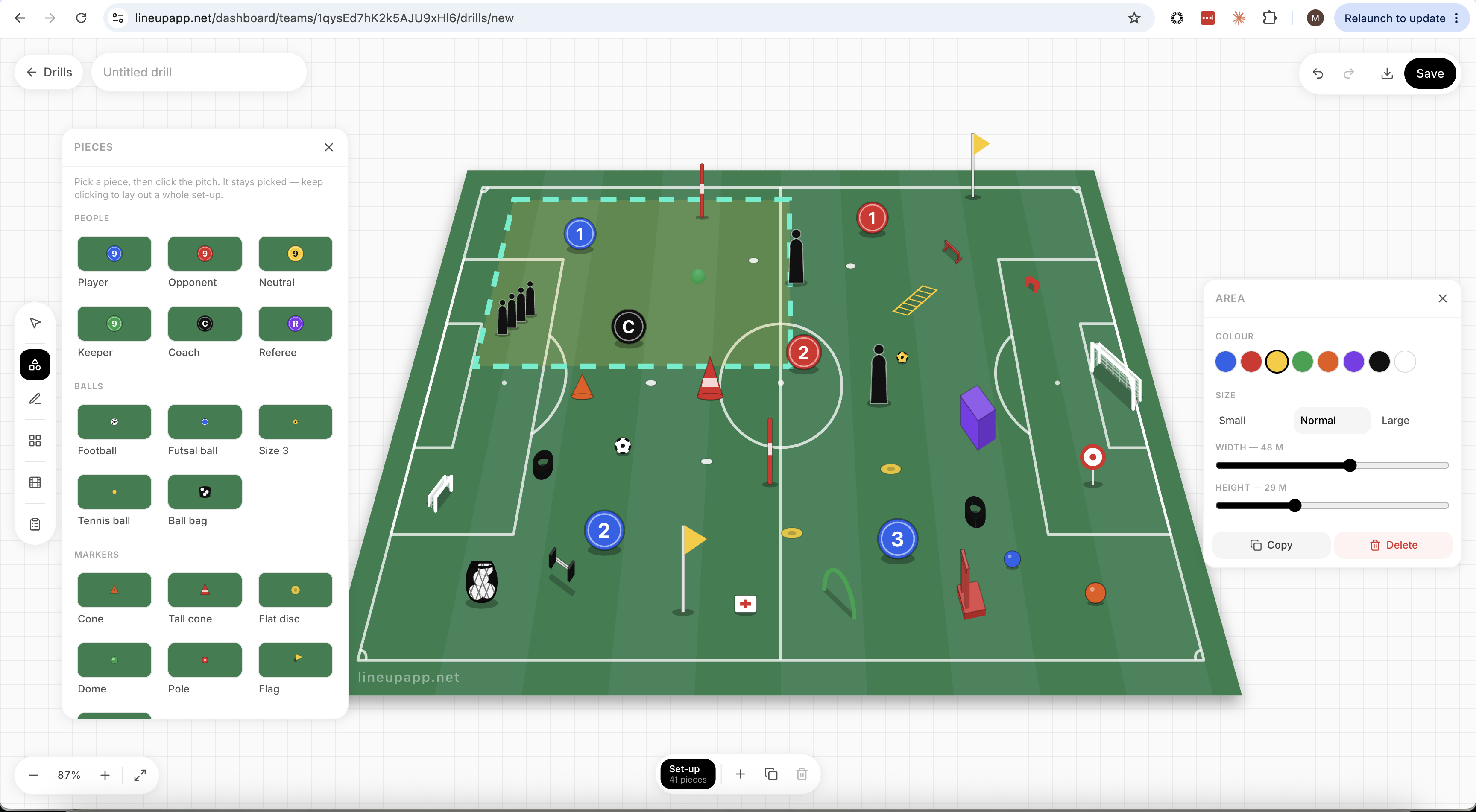
Lay a drill out on a proper pitch, tilt it to the view you get from the touchline, and animate the runs frame by frame. It lives in the Lineup web dashboard — the big screen, where planning a Tuesday night actually happens.
The demo needs no account and saves nothing. Sign in to the dashboard by scanning the QR code with the Lineup app — no extra password to remember.
A closer look
Print a session plan as a PDF.
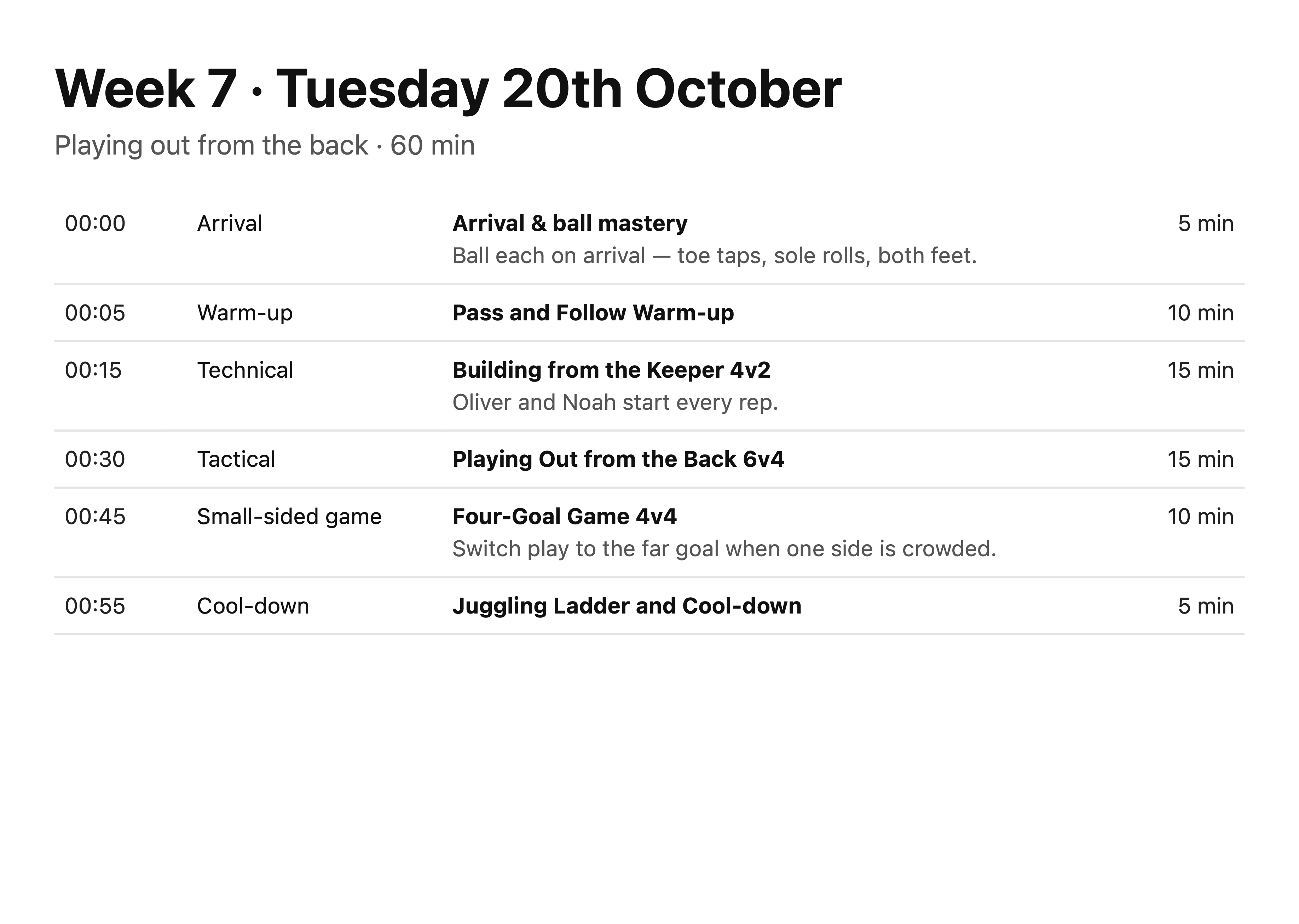
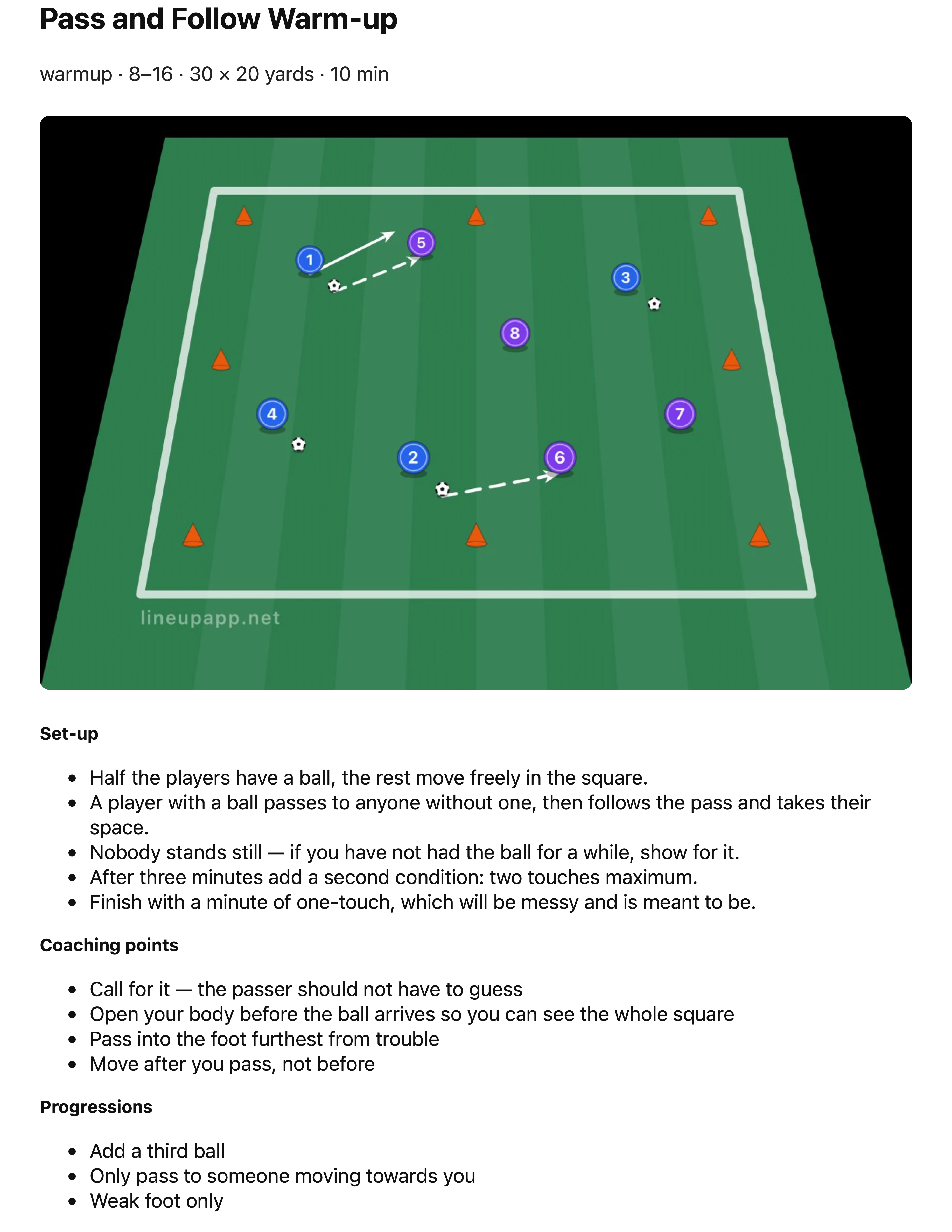
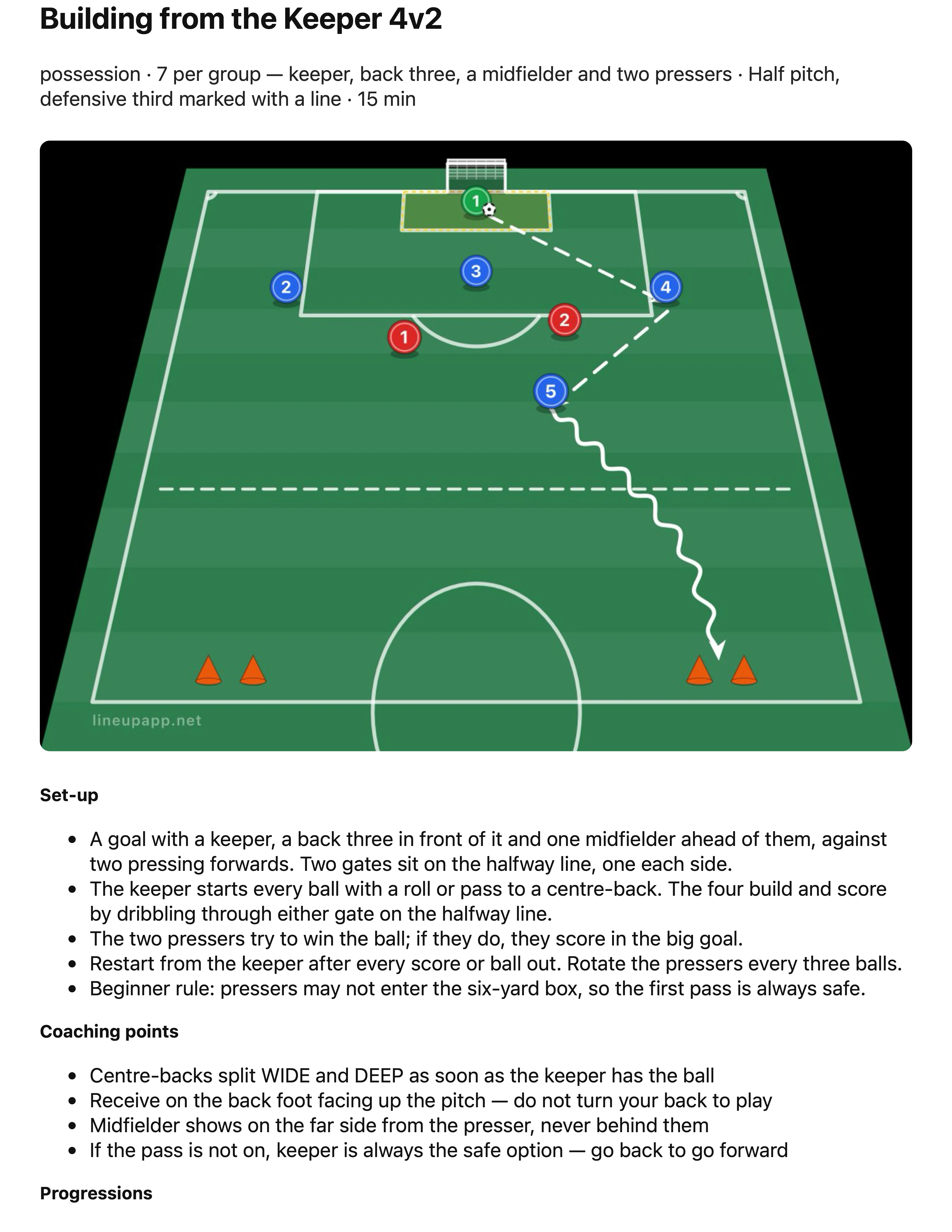
Build a session in the app from your own drills and the library, then tap Share as PDF. You get the running order on one page and a page per drill with its diagram — the pages below — ready to print and clip to the board.
Why teams love it.
The pitch is to scale
Every pitch is measured in metres, not pixels — so a 30×20 possession grid really is 30×20, and the gap you leave between cones is the gap your players will run.
Movement, not arrows on a photo
Add a frame, move the pieces, add another. Press play and the drill runs — players travel along the lines you drew, and the ball goes where you passed it.
Straight into the group chat
Export a still to print for the clipboard, or a video your players can watch on the bus. No screen recording, no cropping.
The coaching tool without the coaching-tool price
Session-design software is usually its own subscription, and most grassroots coaches end up drawing drills in Notes or on the back of a team sheet. This is a blank pitch and a proper set of tools — the drills are yours, built for your players, in the same dashboard as your fixtures and your squad.
- Full pitch, half, third, penalty box, futsal court, grid or blank
- Grass, stripes, astro, indoor or plain white surfaces
- Forty-five pieces — players, keepers, cones, ladders, goals, mannequins, bibs
- Flat plan view or the angled view you get from the touchline
- Run, pass and dribble arrows — straight or drawn freehand
- Frames, so a drill plays rather than sits still
- Snap to a grid in metres, at any zoom, in either view
- PNG for the whiteboard, MP4 for the group chat
- Your own drills, saved to the team for the rest of the staff
- Whole sessions built from your drills and the library, shared as a PDF
Drill builder, answered.
And that’s just one part of Lineup.
Everything your team needs, in one app.
Fixtures & availability
Schedule matches and training, and know who’s playing with one-tap availability.
Learn more
Lineups & formations
Drag and drop players onto an interactive pitch and share the team sheet in one tap.
Learn more
Team chat
Team, group and direct messages with matchday details built right in.
Learn more
Match fees & finances
Track match fees, subs and expenses — and see who’s paid at a glance.
Learn more
Photos & videos
Shared galleries for every fixture, filled by the whole squad.
Learn more
Matchday graphics
Social-ready posters for every fixture, result and player — built from your team’s own data.
Learn more
Stats & player development
Season stats recorded as you go, and a development plan for every player — with a report you can hand to their parents.
Learn more
Team website
A public website for your team, built from the fixtures you already keep.
Learn more